Losing internet access during a power outage can be more than an inconvenience — it can mean losing the ability to work remotely, check emergency alerts, contact family, or monitor smart home security cameras right when you need them most. The good news is that routers and modems are among the lowest-power devices in the home, which makes keeping them running through a blackout one of the easiest problems to solve.
How Much Power Does a Router Actually Need?
Most home routers and modems draw very little power:
| Device | Typical Wattage |
|---|---|
| Standard Wi-Fi router | 5-15W |
| Cable/DSL modem | 10-20W |
| Combo modem/router unit | 15-25W |
| Mesh Wi-Fi system (per node) | 5-10W each |
Even a small power bank or entry-level power station can keep a router and modem running for a full day or more, since the combined draw is often under 30-40 watts total.
Option 1: A Small Portable Power Station
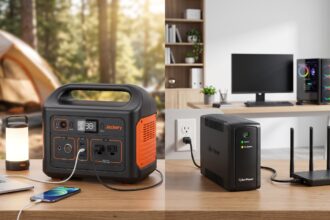
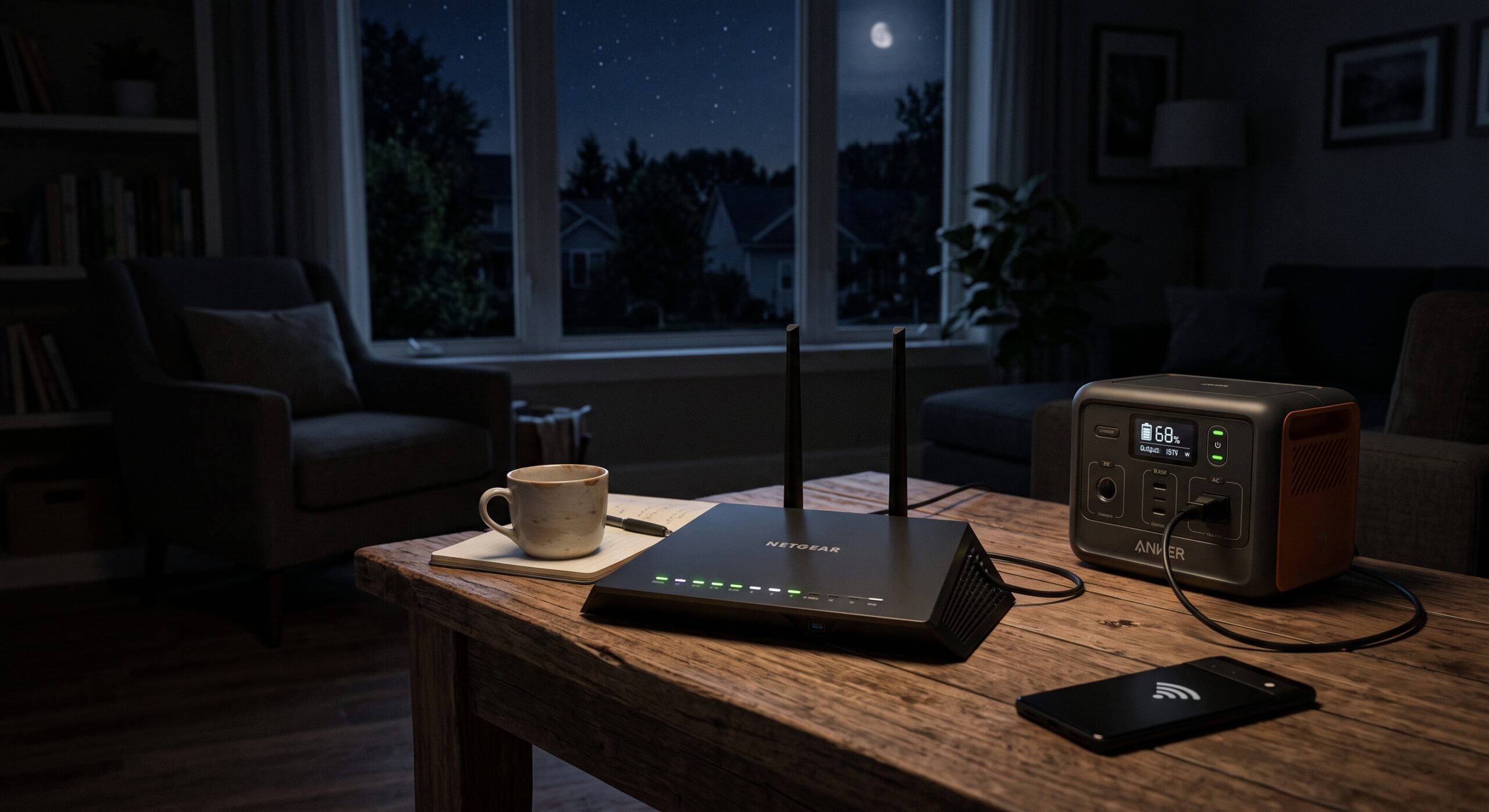
This is the most practical solution for most households. A compact power station in the 150-300Wh range can run a router and modem for 24-48+ hours continuously, since the load is so light. Simply plug the router and modem directly into the power station’s AC outlet — no adapters or special setup needed.
Estimated runtime by capacity (router + modem combined, ~30W):
| Power Station Capacity | Estimated Runtime |
|---|---|
| 150Wh | ~5 hours |
| 300Wh | ~10 hours |
| 500Wh | ~16 hours |
| 1,000Wh | ~33 hours |
If you already own a larger power station for other emergency needs (refrigerator, medical devices), the router and modem can simply share that capacity — their draw is small enough that it won’t meaningfully shorten the runtime of higher-priority devices.
Option 2: A UPS (Uninterruptible Power Supply)
A small UPS unit, the kind typically used to protect desktop computers from sudden shutdowns, is a lower-cost alternative if your only goal is keeping internet access running — not powering anything else. Most UPS units in the $40-80 range can keep a router and modem running for 1-4 hours, which is enough to ride out short outages or finish an urgent task before switching to another power source.
UPS vs. power station for this specific use case:
- A UPS is cheaper and switches over instantly (no interruption at all when power drops), since it’s always connected.
- A power station offers far longer runtime and can also power other devices, but requires manually plugging the router in during an outage unless it’s left connected continuously.
Do You Need Internet at All During an Outage?
It depends on your ISP setup. Even with your router and modem powered, internet access during a blackout depends on whether your internet service provider’s local infrastructure is also still running:
- Cable and fiber internet often depends on nearby powered equipment (neighborhood nodes, fiber huts) that may lose power along with your home, cutting service even if your own router is running.
- Cellular-based routers or hotspots are more likely to stay connected, since cell towers frequently have their own backup power and tend to stay online longer during grid outages.
- Starlink and other satellite internet systems can remain functional as long as the dish and router both have power, since they don’t depend on local wired infrastructure at all.
This is worth checking with your provider ahead of time — there’s no point building a perfect router power setup if the outage also takes down the infrastructure a few blocks away.
Building a Reliable Setup
- Identify exactly what needs power: router, modem, and possibly a mesh node — not the whole home network infrastructure.
- Choose a small, dedicated power source (a compact power station or UPS) rather than relying on your main household backup unit, so you’re not competing for capacity with the refrigerator or medical devices.
- Keep it near the router, already connected, so switching over during an outage takes seconds, not minutes of searching for cables.
- Test it periodically — plug in and confirm the setup actually keeps the connection alive, rather than assuming it works based on the specs alone.
- Consider a cellular hotspot as a backup path, in case the outage affects your ISP’s local infrastructure even though your own equipment has power.
Frequently Asked Questions
Will my Wi-Fi router work on battery power the same as on wall power? Yes, as long as the power source outputs clean AC power (pure sine wave, which nearly all modern power stations provide) or you’re using the router’s normal power adapter plugged into the power station’s outlet.
Can I just use a phone power bank instead of a power station? Not directly, unless your router accepts USB-C power input (some newer, low-power routers do). Most routers use a barrel-style DC power adapter that requires an AC outlet, which standard phone power banks don’t provide.
How long should I plan for — a few hours or a full day? It depends on your region’s typical outage length, but since the power draw is so low, it costs very little in capacity to plan for 24+ hours rather than just a few. A small, dedicated 150-300Wh unit is usually enough for either scenario.
Bottom Line
Keeping a router and modem powered during a blackout is one of the easiest problems to solve in a home emergency setup, since the power draw is minimal. A small, dedicated power station or UPS — kept connected and ready near the router — is enough to maintain internet access for hours or even days, though it’s worth confirming with your ISP whether their own infrastructure stays powered during a regional outage.